
Gateway Integration
The l33t gateway is an optional AI processing backend that enhances your dictation before it reaches your editor — formatting, cleanup, and language model enhancement.
How It Works
Mic → OS Dictation → raw text → Gateway → enhanced text → Editor
                                     │
                               Mode-aware routing
                                     │
                         ┌───────────┼───────────┐
                         ▼           ▼           ▼
                    Rules Engine  DeepSeek     OpenAI
                       (free)    (cheapest)  (strongest)
When the gateway is enabled, every utterance goes through a processing pipeline: authentication → rate limiting → credit check → model selection → processing → response → insert.
Prerequisites
Starting the Gateway
# From the l33tdev/ monorepo root
export GATEWAY_API_KEY="dev-key-12345"
docker compose up -d --build
This starts four services:
| Service | Port | Purpose |
|---|---|---|
| Gateway API | 3000 | Processing endpoint |
| PostgreSQL | 5432 | Request/response persistence |
| Redis | 6379 | Rate limiting cache |
| Nginx | 80 | Reverse proxy |
Verify it's running:
curl https://gateway.l33tspeak.dev/healthEnabling the Gateway
- Open the Command Palette (
Cmd+Shift+P) - Run "L33t Speak: Set Gateway API Key"
- Enter your API key (default:
dev-key-12345)
Setting the API key automatically enables the gateway. No additional config toggle needed.
You can also control it manually in VS Code settings:
| Setting | Default | Description |
|---|---|---|
l33t-speak.enableGateway | false | Toggle gateway processing on/off |
l33t-speak.gatewayUrl | https://gateway.l33tspeak.dev | Gateway API base URL |
l33t-speak.gatewayApiKey | "" | Placeholder — actual key stored in OS keychain |
The API key is stored securely in your operating system's keychain via VS Code's SecretStorage — never in plaintext settings.
Viewing Gateway Logs
Every request and response is logged to a dedicated output channel:
- Open the Output panel (
Cmd+Shift+U) - Select "L33t Gateway" from the dropdown
You'll see:
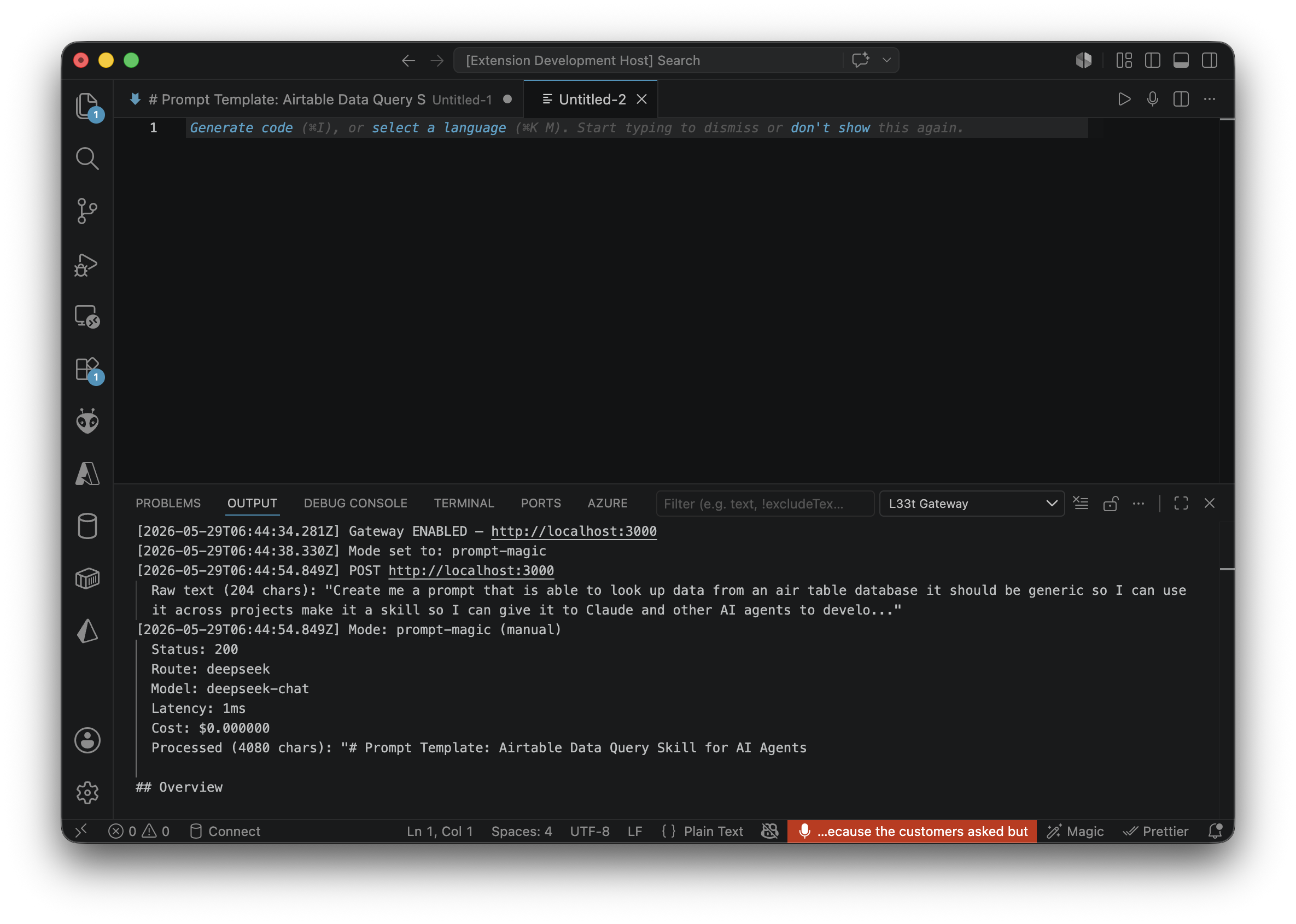
[2026-05-29T06:06:13.855Z] POST https://gateway.l33tspeak.dev
  Raw text (104 chars): "Create me a skill that looks up data..."
Mode: markdown (auto-detected)
  Status: 200
  Route: rules-engine
  Model: unknown
  Latency: 0ms
  Cost: $0.000000
  Processed (105 chars): "Create me a skill that looks up data..."
For live container logs:
docker compose logs gateway -fProcessing Indicator
While the gateway processes your dictation, the status bar shows an animated rainbow indicator:
🟥 Enhancing... (red)
🟧 Enhancing... (orange)
🟨 Enhancing... (yellow)
🟩 Enhancing... (green)
🟦 Enhancing... (blue)
🟪 Enhancing... (purple)
The background color cycles through the rainbow while a spinner animates. The indicator is blue/cyan for local processing (rules-engine) and full rainbow for hosted LLM calls (DeepSeek/OpenAI).
One-Command Dev Environment
./scripts/start-dev.shThis starts Docker, builds the extension, and launches VS Code with the Extension Development Host pre-configured for gateway use.
See Also
- Processing Modes — all 6 modes and how to choose
- Configuration — all gateway settings